
Cameras Indiana - traffic cams
No AdsSafePersonal Test


Cameras Indiana - Traffic Cams Unblocked: Live Road Monitoring for Smoother Travel
Navigating Indiana’s roads becomes effortless with Cameras Indiana - traffic cams, a free app providing real-time access to 300+ traffic cameras statewide. Designed for commuters and travelers, Cameras Indiana - traffic cams streams live footage from highways, freeways, and urban areas like Indianapolis and Gary, helping users avoid congestion, closures, and accidents. Cameras Indiana - traffic cams simplifies route planning with categorized feeds, customizable favorites, and home screen widgets for instant access. Whether checking conditions before leaving home or sharing traffic snapshots with others, Cameras Indiana - traffic cams combines practicality with ease of use.
Real-Time Traffic Monitoring Across Indiana
Cameras Indiana - traffic cams lets users view live footage by selecting cameras from an organized list or category filters. After launching Cameras Indiana - traffic cams, drivers browse feeds grouped by region or road type (e.g., highways, urban streets). Tapping a camera opens its live stream, displaying current traffic flow, weather, or incidents. This feature aids in identifying bottlenecks or alternate routes, enabling proactive decisions. Regular updates ensure users see the latest conditions, though feed reliability depends on third-party camera operators.
Customizable Camera Groups and Favorites
To streamline navigation, Cameras Indiana - traffic cams allows users to create custom groups (e.g., “Work Commute” or “I-65 Cameras”) and save frequently viewed feeds. After selecting a camera, tapping the star icon adds it to Favorites, accessible via a dedicated tab. Categories like “Indianapolis Traffic” or “Winter Weather Cams” help users quickly locate relevant feeds. This personalized setup minimizes scrolling and ensures critical cameras are always one tap away.
One-Tap Image Capture and Social Sharing
Users can snap screenshots directly from live feeds by tapping the camera icon. Cameras Indiana - traffic cams saves images to the device’s SD card, enabling instant sharing via social media or messaging apps. This feature is ideal for reporting road hazards, sharing travel updates, or documenting incidents. Saved images include timestamps, providing context for followers or authorities.
Home Screen Widgets for Instant Feed Access
Cameras Indiana - traffic cams’s widgets eliminate the need to open it fully. By long-pressing their device’s home screen, users add Cameras Indiana - traffic cams widgets linked to specific feeds. Resizable widgets display live thumbnails of chosen cameras, allowing drivers to monitor roads at a glance. Tapping a widget opens the full feed, making it ideal for checking regular routes like school zones or construction areas.
Comprehensive Coverage of Indiana’s Roadways
Cameras Indiana - traffic cams aggregates feeds from major routes like I-70, I-465, and US-31, plus city arteries in Fort Wayne, Evansville, and South Bend. Users switch between cameras using location-based filters or search by road name. Broad coverage ensures visibility into rural and urban traffic, though availability varies by area.
Live Feed Analysis for Route Planning
Before starting a trip, users review multiple feeds along their intended route via Cameras Indiana - traffic cams. For example, checking I-69 near Muncie and I-465 in Indianapolis reveals real-time delays. Observing traffic patterns helps drivers adjust departure times or choose less congested paths. While not automated, this manual review reduces surprises during travel.
Key Features
- Live feeds from 300+ Indiana traffic cameras
- Custom groups and favorites for quick access
- Image capture with social sharing capabilities
- Home screen widgets for at-a-glance monitoring
- Statewide coverage of highways and urban roads
Cameras Indiana - traffic cams equips drivers with reliable tools for smarter travel, blending real-time data with user-friendly customization. Cameras Indiana - traffic cams’s emphasis on accessibility—through widgets and sharing—makes it a must-have for Indiana commuters.
- Category:Tools
- Latest Version:9.4.8
- Requirements:android
- File size:21.72MB
- Package lD:com.vision.cameras.indiana
- Publisher:Danilo Cubrovic
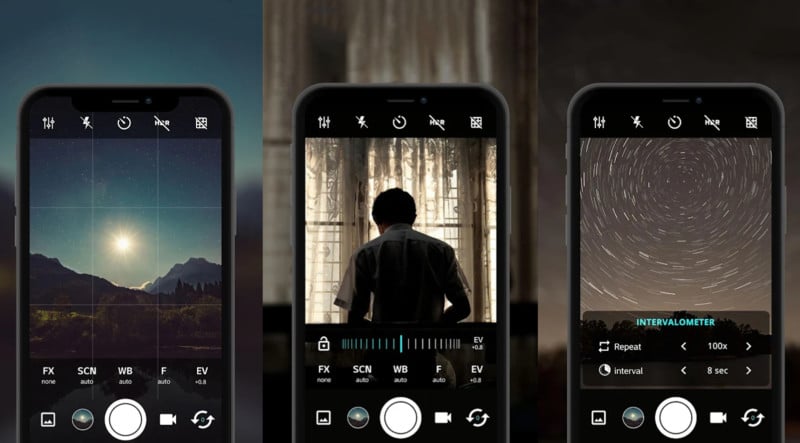
Best Android Camera App
Total:40
Sick of ads popping up mid-photo? Grab Android’s top ad-free camera apps here! They pack pro features—manual focus, HDR+, night mode, and raw editing—no interruptions. Capture crisp shots, edit smoothly, and save without delays.


-
FUT Tax Calc
Tools | 13.32MB
For anyone deeply involved in EA SPORTS FC 26 Ultimate Team, managing coin profit during player trades is essential. FUT Tax Calc simplifies this entire process by offering a precise calculator that instantly shows tax, profit, and after-sale value for any card on the transfer market. Unlike generic spreadsheet methods, this tool focuses exclusively on the FUT ecosystem, supporting past and present cards from FUT 20 through the latest FC 26 edition. With integrated trading guides, a comprehensive trade history log, and a built-in card creator, it serves as a complete companion for traders who want to maximize returns without relying on risky automated bidding tools. The application stands out by combining real-time tax calculation with educational trading strategies, making it suitable for both beginners learning market mechanics and experienced players fine-tuning their profit margins.
-
 ESAQ - Brasil Banda Larga
Tools | 27.43 MB
ESAQ - Brasil Banda Larga is the official tool from Brazil’s broadband quality authority, designed to give anyone a clear, real-time view of their internet connection’s performance. Whether you want to check download and upload speeds, measure latency, or monitor packet loss and jitter, this app runs simple tests that reveal the true state of your fixed or mobile broadband. Unlike generic speed testers, it follows the strict RQUAL regulation set by Anatel, so the results are reliable and officially recognized. The app is free to download and works on most Android and iOS devices, making it easy for everyday users to verify their service quality whenever they need.
-
 Inches - Metric Converter Free
Tools | 2.52MB
Inches - Metric Converter Free is a dedicated utility designed for anyone who regularly switches between imperial and metric measurement systems. Whether you are a handyman, a DIY enthusiast, or work in construction, this tool simplifies converting fractional and decimal inch values into millimeters and vice versa. Unlike generic unit converters, this app focuses on practical everyday use rather than scientific precision. It includes four distinct conversion pages: fractional inches to millimeters, decimal inches to millimeters, a reference table for imperial-to-metric tool matching, and a metric-to-imperial lookup. This focused approach saves time and reduces errors when dealing with tape measures, wrenches, sockets, or drill bits from both systems.
-
 GEN Gematria Calculator
Tools | 21.85MB
GEN Gematria Calculator brings the ancient practice of gematria and numerology into a modern, mobile-friendly interface. Designed for researchers, spiritual seekers, and curious minds, this app lets you explore letter-number correspondences with over a dozen ciphers including Simple English, Pythagorean, Jewish, and Satanic. You can input short words or long texts, view multiple cipher values simultaneously, and even drill into individual letter details. Unlike many online tools, it works completely offline – no internet required. The app stands out for its clean layout, real-time calculations, and deep customization, making it a reliable companion for anyone studying hidden meanings in numbers and words.
-
 OontZ
OontZTools | 32.81MB
The OontZ app is the official companion software for controlling and personalizing your OontZ wireless speakers. Whether you want to ask Alexa to play your favorite playlist, adjust the EQ for deeper bass, or set up dual stereo across two rooms, this application puts all the power in your palm. It works seamlessly with the OontZ Angle 3 Shower and OontZ Angle 3 Pro models, letting you switch between left‑right channel mode and independent stereo zones. Compared to generic speaker apps, OontZ offers direct voice assistant integration and real‑time firmware updates, making your listening experience smarter and more flexible.
-
 Mans Tet
Tools | 22.69MB
Mans Tet is a practical utility management application built to help users stay on top of their household bills and service accounts. It centralizes essential tasks like viewing invoices, making secure payments, and submitting electricity meter readings into one straightforward dashboard. The app also gives you direct access to your Interest Free Limit and a dedicated Help Portal for resolving account questions. With real-time notifications for billing updates and service changes, it ensures you never miss an important deadline. Its simple interface makes it a reliable tool for anyone looking to manage recurring expenses without unnecessary hassle.
-
 Cameras Minnesota - Traffic
Travel | 21.73MB<
Plan your commute and avoid congestion with Cameras Minnesota - Traffic. This handy app provides direct access to live traffic camera feeds from across the state, helping you see road conditions in real-time. Whether you're navigating Minneapolis, St. Paul, or major highways, Cameras Minnesota - Traffic offers a visual advantage for smarter, safer daily travel.
-
 Cameras Massachusetts -Traffic
Auto & Vehicles | 21.72MB<
Stay informed about your commute with Cameras Massachusetts - Traffic. This app provides direct access to live traffic camera feeds from across Massachusetts, helping you check road conditions, construction, and weather visually before you travel. By offering a real-time view of major routes and intersections, Cameras Massachusetts - Traffic is a practical tool for daily drivers planning their journey.
-
 Cameras Washington DC Traffic
Travel | 21.73MB<
Cameras Washington DC Traffic is a must-have tool for anyone navigating the District’s busy streets. Cameras Washington DC Traffic offers instant access to live traffic cameras, webcams, and CCTV feeds across Washington DC, empowering drivers and commuters to make informed travel decisions. With its focus on real-time updates and user-friendly design, Cameras Washington DC Traffic helps users avoid congestion, plan optimal routes, and stay ahead of unexpected road incidents. Whether you’re a daily commuter or a visitor exploring the capital, Cameras Washington DC Traffic simplifies urban navigation.